![logomark_white_final@2x.png]](https://help.motivity.net/hs-fs/hubfs/logomark_white_final@2x.png?height=31&name=logomark_white_final@2x.png)
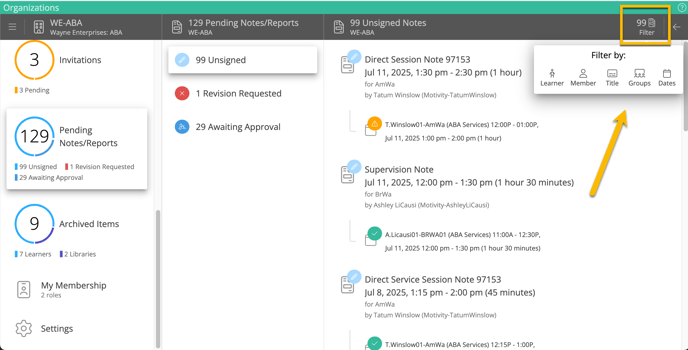
Feeling overwhelmed by that pending notes tab? Well, here is how you can filter through all those notes to find the ones relevant to you:
- Open up the pending notes:
- from your profile
- from the org's profile - or -
- from your learner's profile
- Select a note category
- Select the filter icon in the right-hand corner
- Select how you want to filter the notes:
- Learner
- Member
- Title
- Groups
- Dates
- Note, you can filter by more than one category at a time and you can filter by multiple items from any category (ex: multiple members at a time).
Updated: 7/24/25