![logomark_white_final@2x.png]](https://help.motivity.net/hs-fs/hubfs/logomark_white_final@2x.png?height=31&name=logomark_white_final@2x.png)
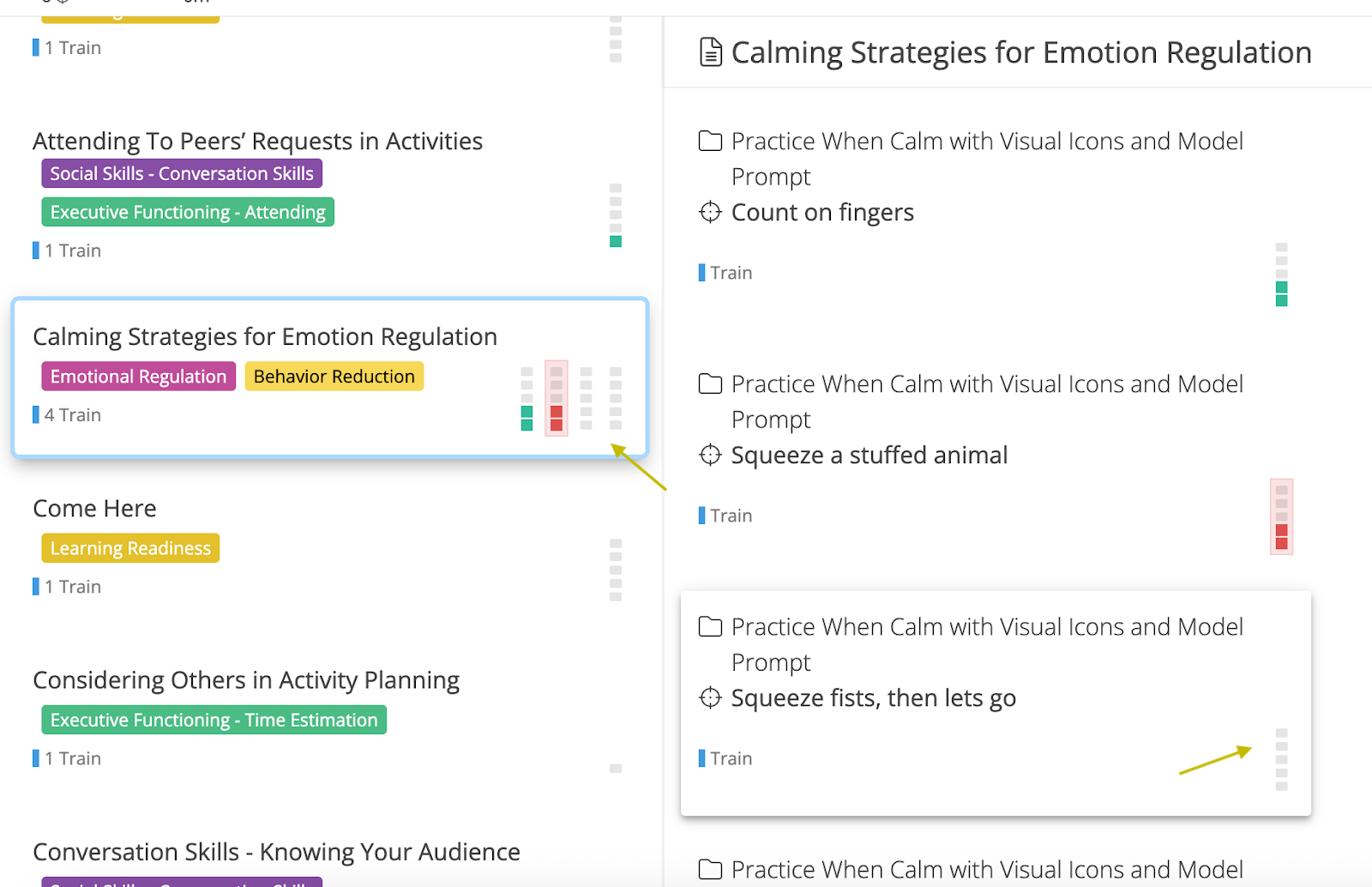
The "mini-squares" a staff sees during their session is a visual tool designed to give them a clear look at their progress at a glance. Data collectors can now see what the suggested trials are at any point during the session with added flexibility to control their views.
Key Features
-
Pre-Session Visibility: Gray mini-squares are displayed on program and target cards before data collection begins, showing staff exactly what is suggested for that target.
-
Optimal Display: To keep their dashboard clean and organized, we display a maximum of 10 targets on the program cards.
-
The "First 5, Last 5" View: Up to 10 trials are represented in mini-square form. For targets with higher trial counts, the system displays the first five and last five trials.
-
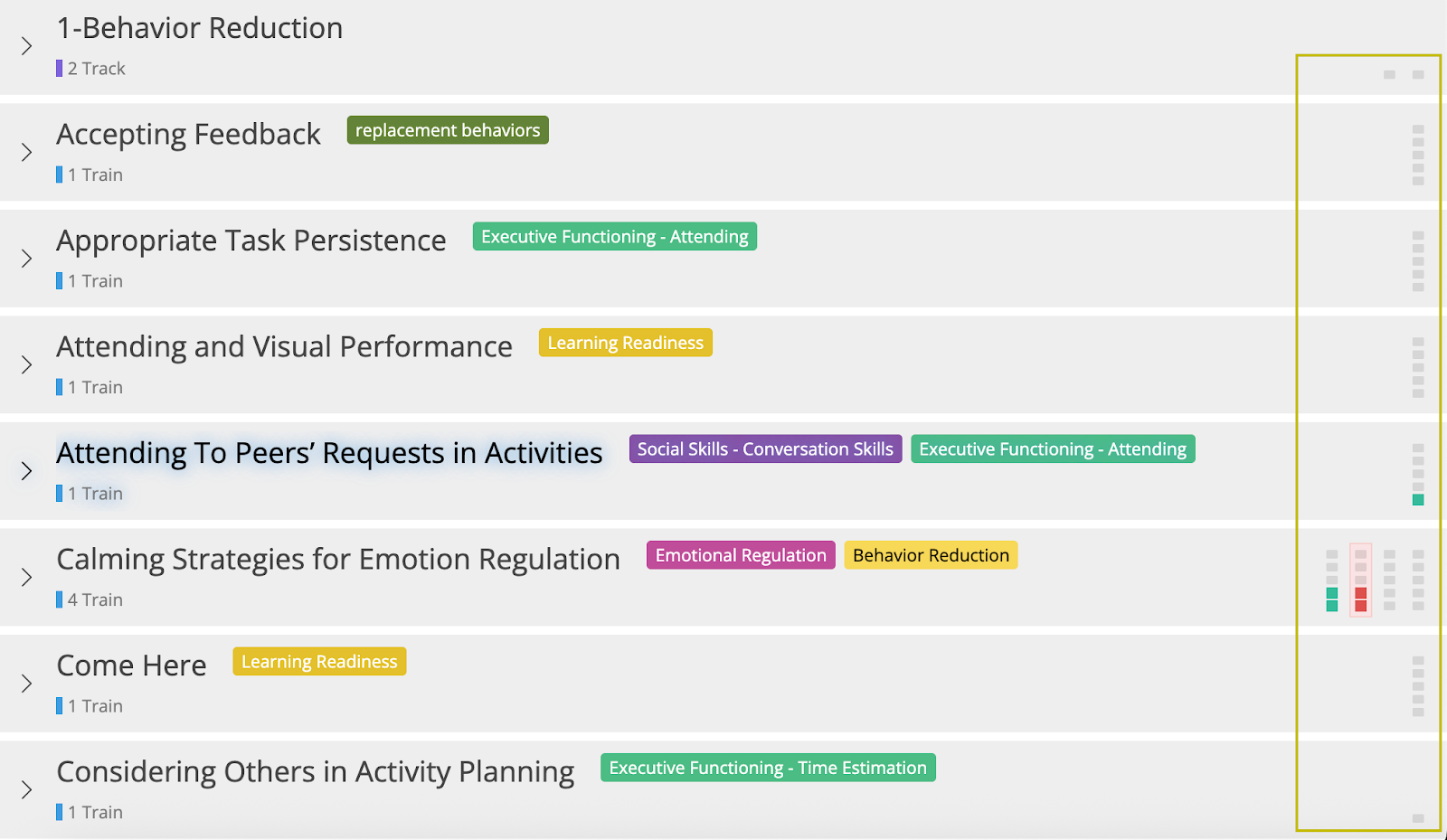
All View Options: Mini-squares are available across all session views.
-
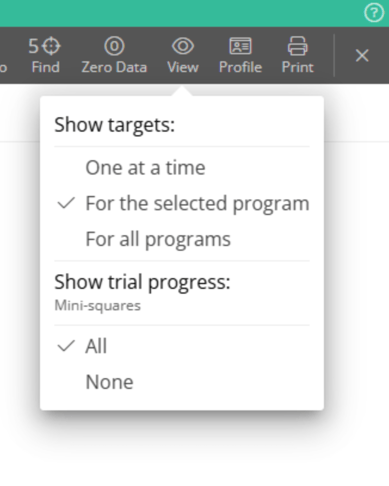
Customizable View: If staff prefer to hide these indicators, they can turn them off at any time by selecting the “View” menu and selecting "None" under "Show Trial Progress".
How the System Calculates Suggested Trials
The number of mini-squares is determined by specific program settings. The system looks at:
-
The “Suggested Dosage/Trials” setting: If a specific number is entered here, the squares will reflect that goal.
-
Automatic Rules: If settings are set to "Automatic," the system will generate the suggested count based on your Session Outcome Rules.
To learn more about Dosage and Session Outcome, refer to the linked knowledge base articles.
Last updated by: Tatum Winslow on 12/29/25