
Overview:
This article guides administrators through the setup process, ensuring all organization information is accurate and complete. You’ll learn how to configure the Organization Details page step by step to support smooth billing and claims processing.
Navigate to your Organization Details:
-
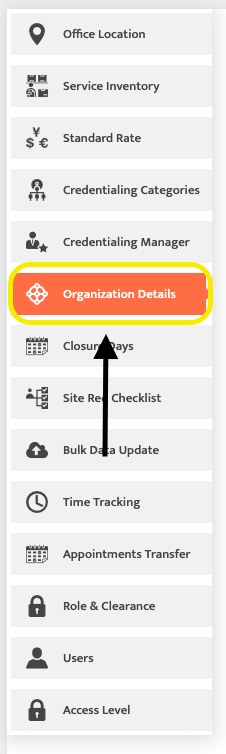
From the Admin Module select "Organization Details"
-
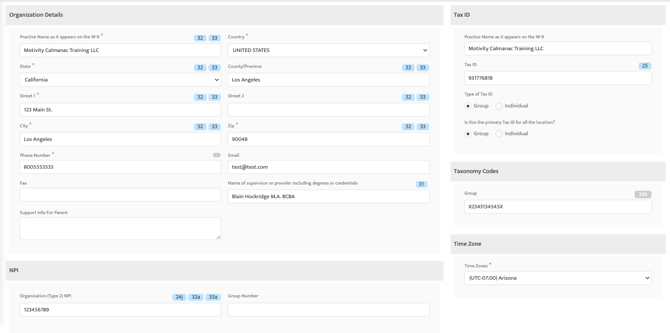
This will open the Organization Details landing page where individual company information can be updated.
-
Be sure to fill in the organization's name, address, Tax ID, and NPI number accurately as they will appear on legal documents. These fields will appear on claims and have a direct impact on billing.
-
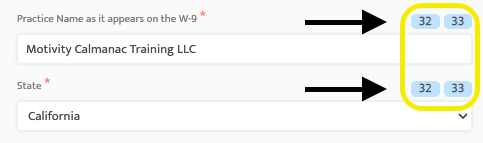
The blue bubbles next to information boxes indicate which section the information will appear on the claim form.
-
The field "Name of supervisor or provider including degrees or credentials" is only filled out if a payor requires the organization supervisor's name in Box 31 of the claim form.

Last Updated: 1/28/2026 by Madeline Roznos