
Switching from Motivity Clinical to Motivity Practice Management (PM)
- In Motivity Clinical, open your organization's navigation panel (the "organization blade").
- You will see a link for Practice Management (PM).
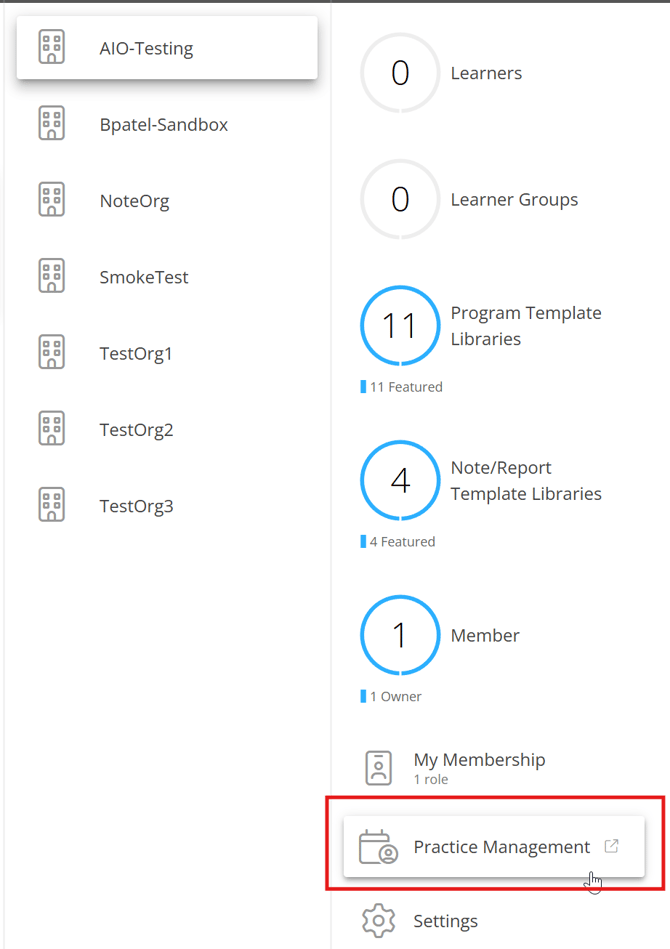
- Clicking this link will open Motivity PM in a new browser tab, and you will remain logged into your unified account.
- Note: If your user account settings (as configured by your administrator) do not have access to Motivity PM, you will receive an error message.
Switching from Motivity Practice Management (PM) to Motivity Clinical
You can easily navigate to the Clinical module directly from Motivity PM.
- In Motivity PM, look for the Provider sidebar.
- You will find a link to Motivity Clinical.

- Clicking this link will open the Clinical module in a new browser tab, and you will remain logged in.
-
- If you are already a member of a Clinical organization, you will open to your home screen with access based on your assigned role and permissions.
- If you are not yet a member of a Clinical organization, you will only see your My Account Settings page within Motivity Clinical.
Last updated by Dr. Katie Palmer on 1/22/26