
This article is most relevant to billers or those who may be helping their organization with billing
Introduction
In the Billing, Collections, and Denials modules, the Notes/Comments Section at both the Invoice and Date of Service levels serves as a centralized location for users to track and document important updates or communications regarding a claim.
These comments stay with the invoice as it moves through different statuses and modules, ensuring consistent tracking and collaboration among teams.
Prerequisites
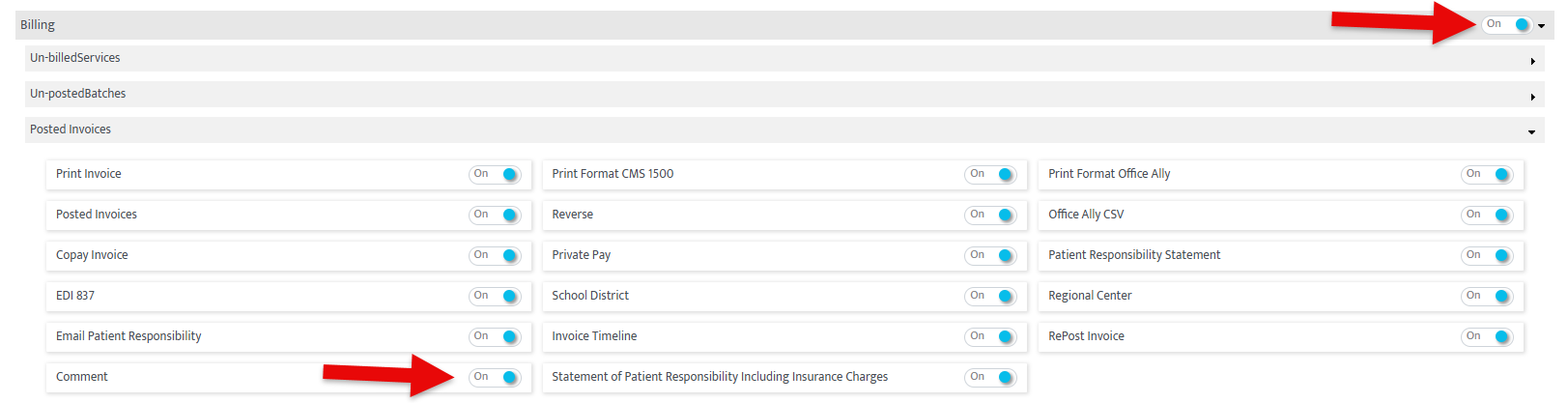
To use this feature, access to the Billing or Collections Module must be turned on, as well as the "Comment" permission under:
"Posted Invoices"
 "Collections Info"
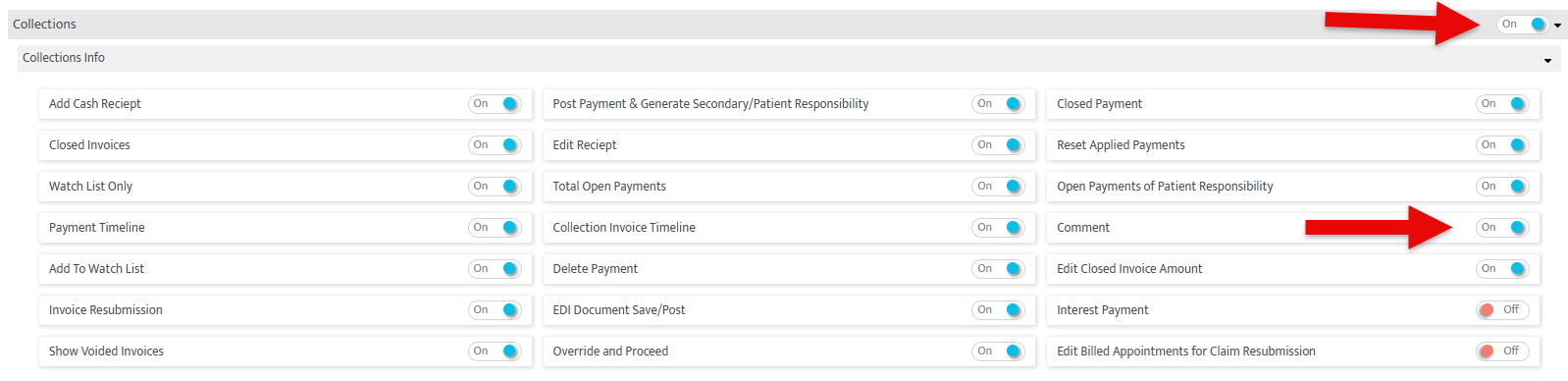
and "Denials"

How to Use
Billing
-Adding a comment in the Billing Module can be done through "Posted Invoices"
To navigate there:
-Hover over the Motivity icon on top left corner and click on the billing menu to access this page
-Then click the third category on the left called "Posted Invoices"

-From here you can simply open a posted invoice, and click the  icon on the far right of the screen
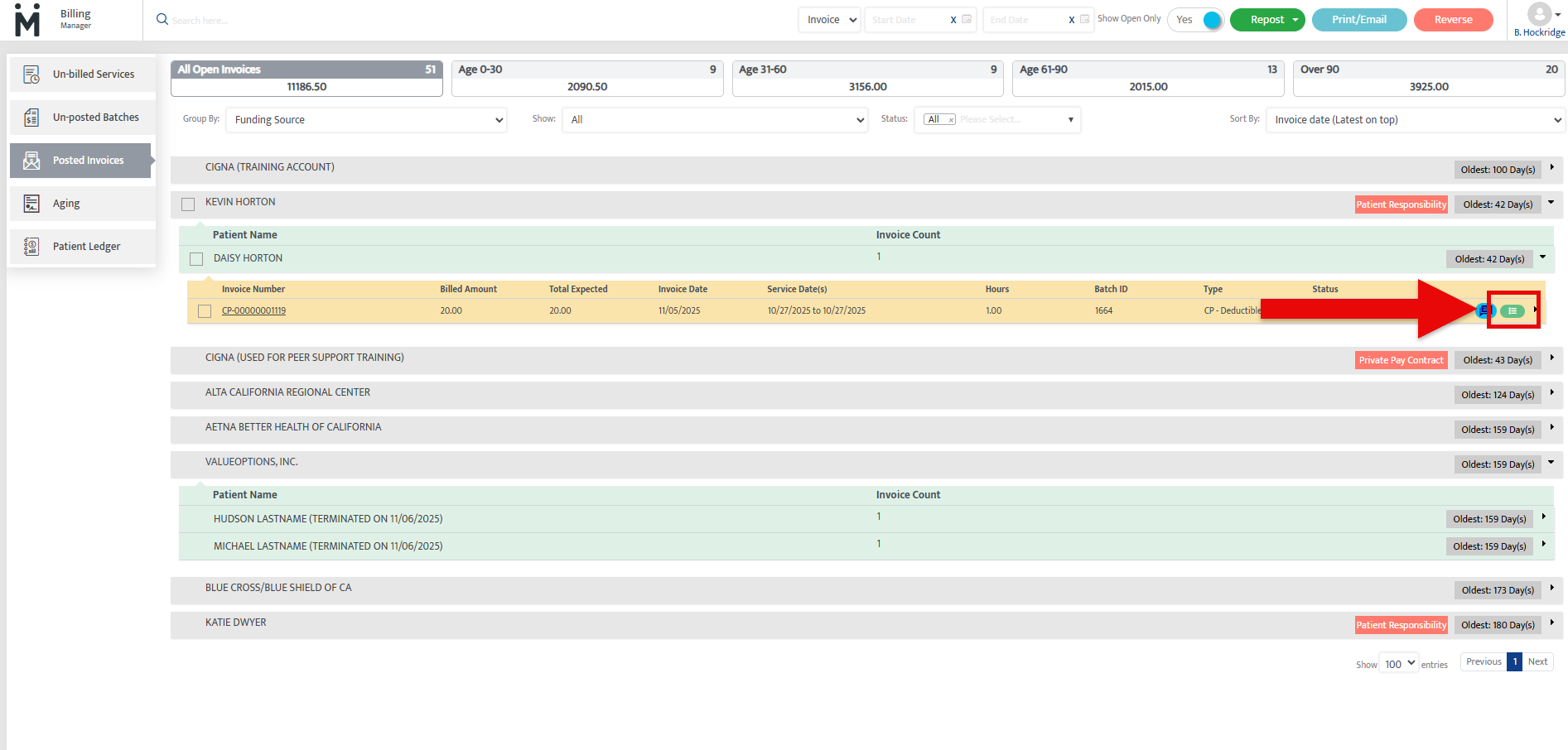
-This will open a comment box where you can add any relevant information
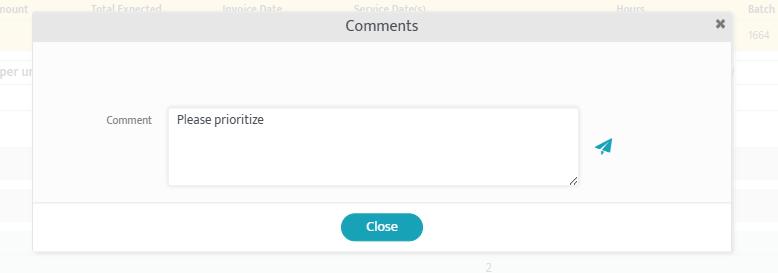
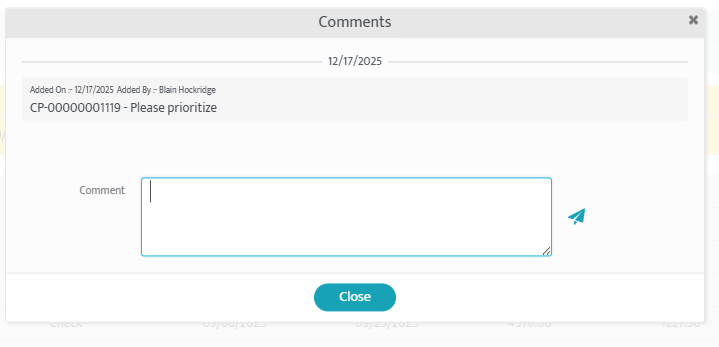
-It will then show up on any comment box opened for this invoice in Billing or Collections modules:
Collections
-Adding a comment in "Collections" can be done through Collections Module
To navigate there:
-Hover over the Motivity icon on top left corner and click on the "Collections" menu

-Then click the first category called "Collections"
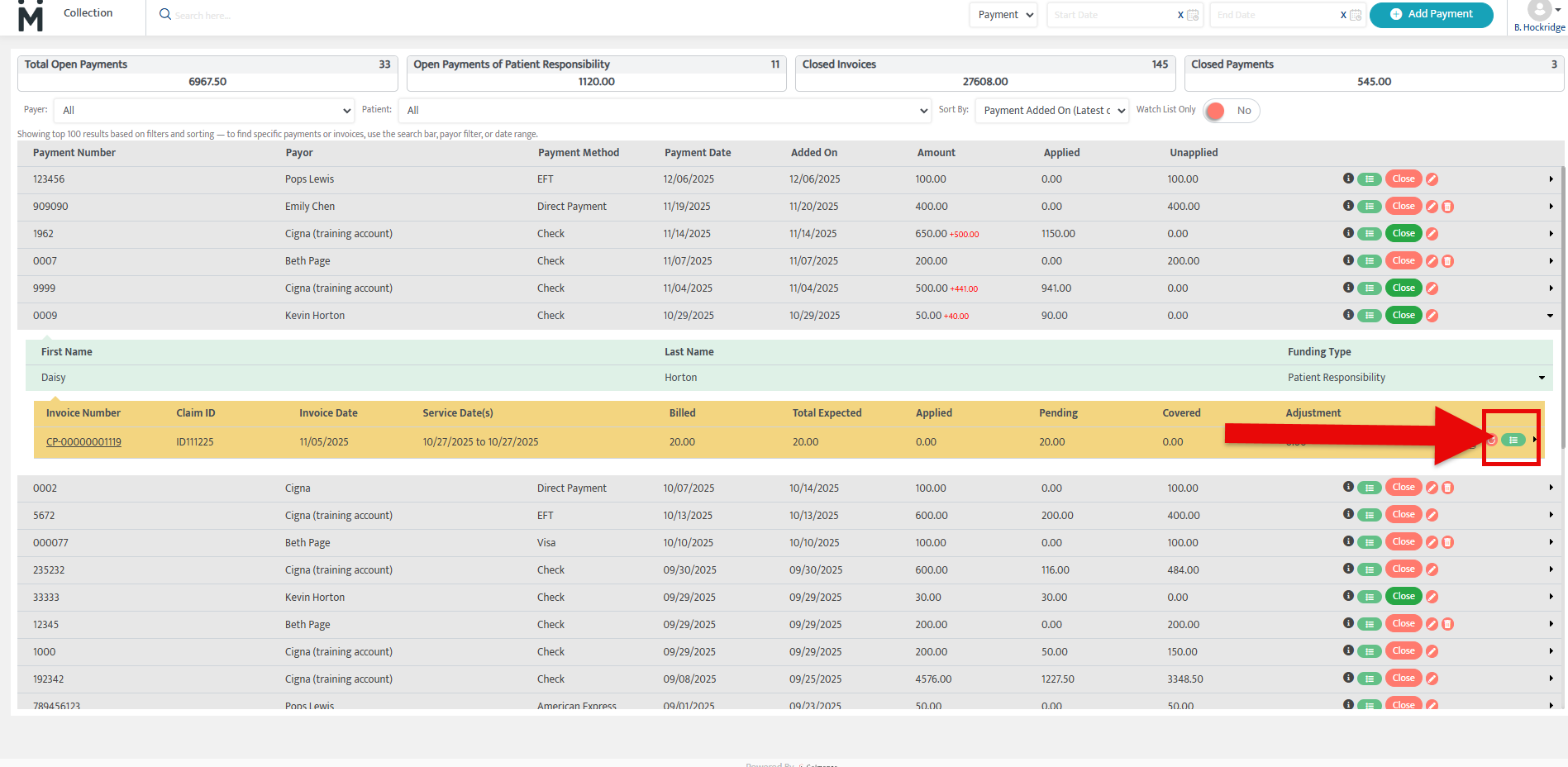
-From here you can simply open a posted invoice, and click the icon on the far right of the screen
Denials
-Adding a comment in "Denials" can be done through Collections Module
To navigate there:
-Hover over the Motivity icon on top left corner and click on the Collections menu
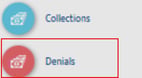
-Then click the second category called "Denials"
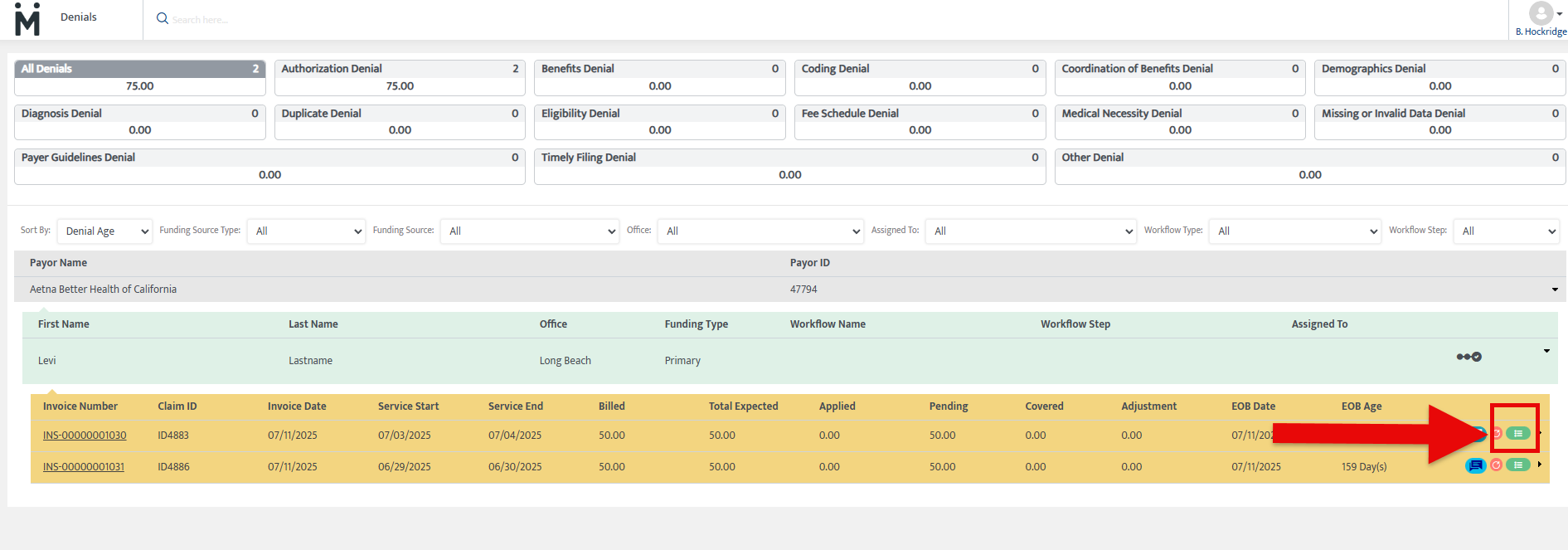
-From here you can simply open a posted invoice, and click the icon on the far right of the screen
Notes & Tips
In Billing: This section can be used to document the status of a claim that is under review or has not been processed by the payor for a long time.
In Collections: Notes can be added to document any payment-related updates, including communication with the payor about partial or reduced payments.
In Denials: The comments section is ideal for tracking communication with the payor, internal notes on resolving denials, and any updates regarding the resubmission of claims.
Last Updated: 12/17/2025 by Blain Hockridge