
Overview
Payroll processing can be time-consuming and tedious, especially when schedules and HRIS live in separate systems. Being able to quickly and accurately pull hours directly from Motivity provides a major time savings and increases confidence in payroll accuracy.
Creating a Report
To create a report:
-
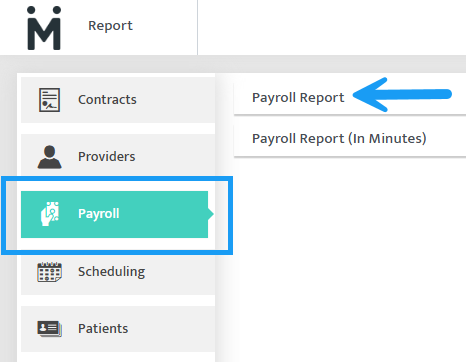
Navigate to Reports
-
Select "Payroll"
-
Select "Payroll Report"
-
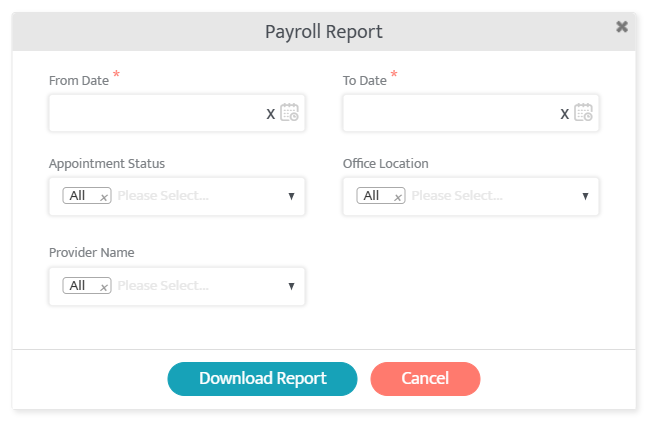
Input a date range
- Specify information such as Appointment Status, Office Location, or Provider Name (if needed)
- Select "Download Report"
The downloaded report provides both detailed raw data and summarized totals, giving users an easy breakdown with the ability to cross-reference and validate.
Last Updated: 2/18/26 by Tatum Winslow