
ConCred: Provider Portal
The Provider Portal gives providers a simple way to manage everything related to credentialing. It keeps all communication and deadlines organized so nothing gets missed. This helps providers stay compliant and avoid issues during internal or external audits.
The portal also makes it easy for providers to view their up-to-date information and check the status of credentialing at any time.
How the Portal Works
Let's walk through some of the main features of the Provider Portal, including what’s required from you, how alerts work, and how to track your action items in the system.
The system tells you exactly what your organization needs from you to get you in-network with each payor and to keep you in good standing, including internal compliance requirements.
A typical workflow for you in the system looks like this:
-
Log in to the portal as a new provider.
-
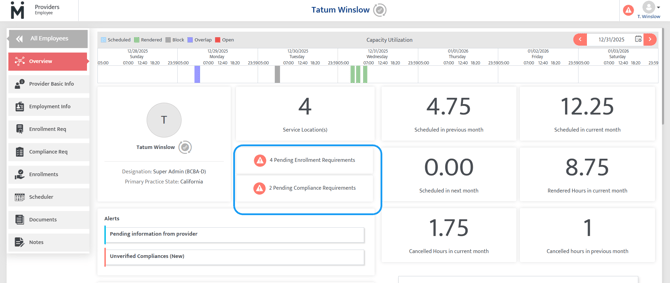
Review your required enrollments.
-
Review your required compliance items (certificates, work experience, licenses, degrees, etc.).
-
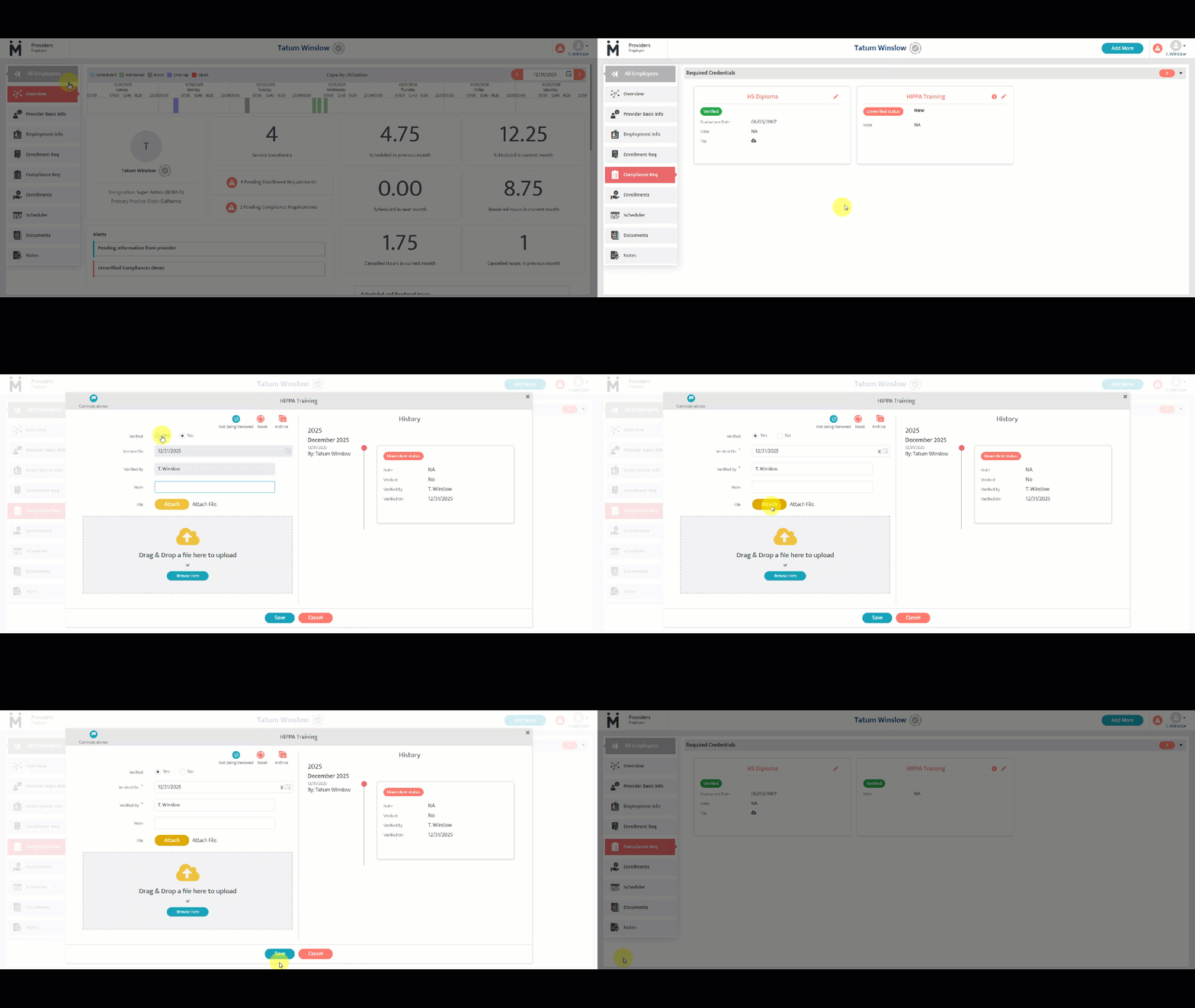
Enter the details for all required compliance items.
-
If an enrollment form is generated by the credentialing team and assigned to you, you complete the form and send the signed copy/acknowledgment back to the credentialing team.
-
You can check your credentialing status in the portal at any time.
-
Once all initial steps are complete and you are credentialed/eligible to work with the needed payors, you will only receive alerts if:
-
a compliance item is about to expire, or
-
a new enrollment is required.
-
Last updated by: Jenelle Kelly on 12/31/25