
Prerequisite
Before reviewing overlapping availability, ensure that the general availability for both the provider and the patient has been entered into the system. This pre-configuration allows the scheduler to accurately identify mutually available time slots.
To review how to add in provider availability, see this article.
To see how to add patient availability, see this article.
Steps to View Overlapping Availability
Follow these steps on the scheduler interface to identify shared availability:
- Access the Scheduler
Click on the Scheduler tab or button to open the main scheduling interface. - Select the Provider
Identify and select the desired Provider from the list of available staff. This action loads the provider's current schedule. - Click Add Appointment and Select the Patient
Click the Add Appointment button and then select the Patient for whom you are trying to book an appointment. This selection initiates a cross-check of the patient's existing schedule against the provider's availability. - Review Overlapping Availability
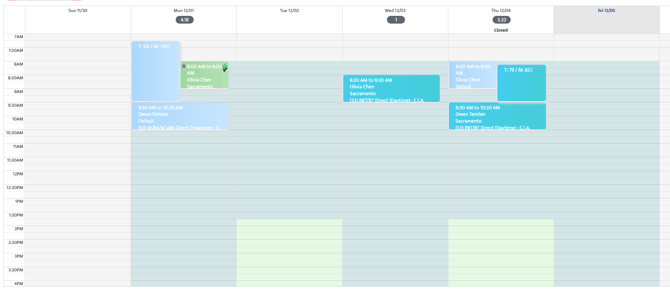
You will see any overlapping availability for the patient and the provider. These are the time slots when both the provider and the patient are available for an appointment.
Here is a summary of the steps to review overlapping availability:
|
Step |
Action |
Result |
|---|---|---|
|
1 |
Click on Scheduler |
Opens the main scheduling interface |
|
2 |
Select the provider |
Loads the provider's schedule |
|
3 |
Click Add Appointment and Select the patient |
Initiates cross-check for overlapping times |
|
4 |
Review Availability |
You will see any overlapping availability for the patient and the provider. |
Last Updated: 12/3/2025 by Lauren Ortega