
Overview
The system simplifies the reconciliation of complex Electronic Data Interchange (EDI) files. If you receive a single payment file containing reimbursements from multiple payers or plans, you can post it as a one-time entry. The platform automatically identifies, splits, and applies the correct amounts to the corresponding payers on your behalf.
How to Use This Feature
To utilize this functionality, ensure your payers are grouped correctly, then post the payment:
Grouping Payers
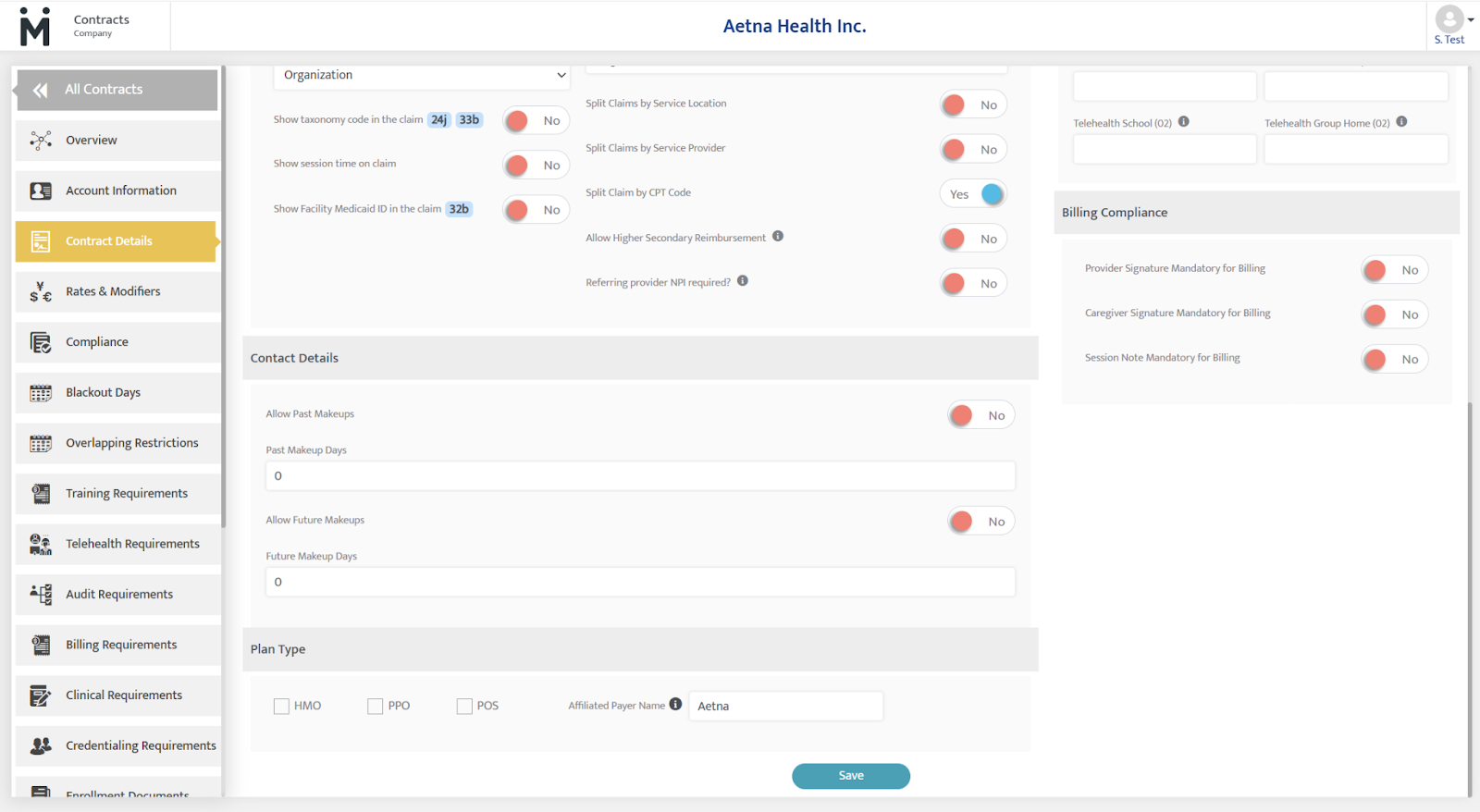
A dedicated "Affiliated Payer Name" field in the Contract Module allows you to group related payers together, ensuring the system knows exactly how to route funds.
- Navigate to the Contracts Module.
- Select the contract of interest.
- Navigate to Contract Details and scroll to the bottom of the page to Plan Type
- Locate the Affiliated Payer Name field and type in the payer name (ex: Aetna)
- Repeat this process for all relevant contracts.
Posting Payments
- Navigate to the Collections Module.
- Select Add Payment at the top of the page.
- Fill out the required fields and select Save.
When to Use This
This feature is specifically designed for high-volume or multidisciplinary billing environments, such as:
-
Multidisciplinary Services: When a single EDI file covers payments for different services (e.g., Speech, OT, and ABA) from related payers.
-
Multi-Plan Organizations: When working with a single organization that manages various plans, such as Commercial, Medicaid, and Medicare.
-
Bulk Reconciliation: When you want to eliminate the manual effort of splitting one check or electronic transfer across multiple payer accounts.
Last Updated: 4/6/26 by Tatum Winslow